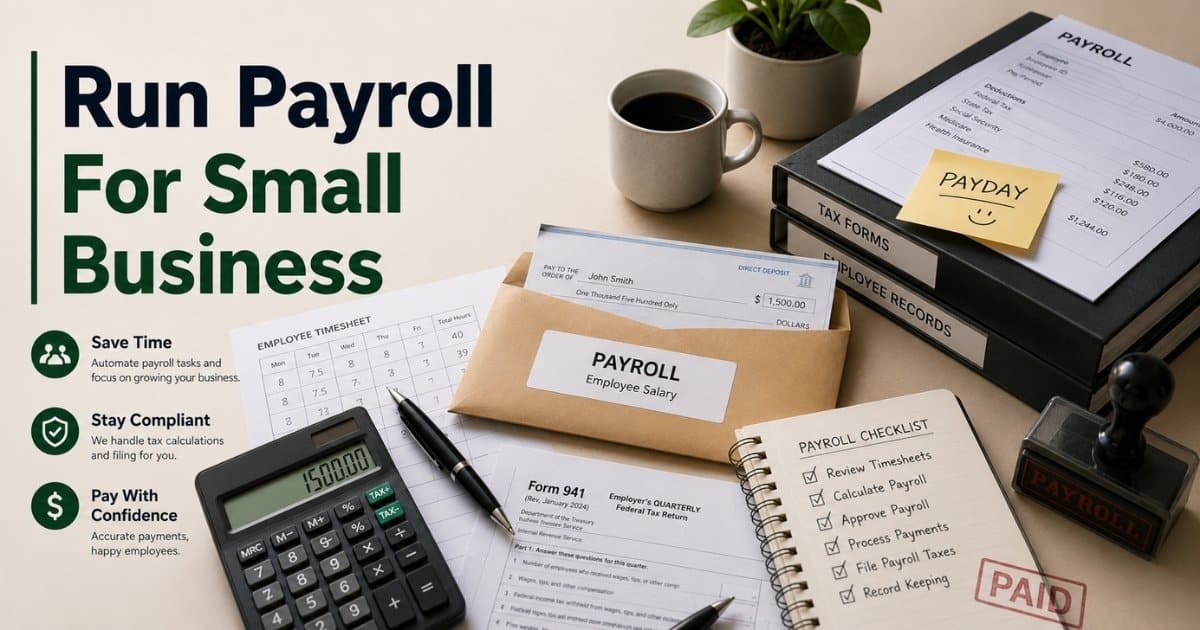
Payroll can feel stressful for many small business owners. One small mistake can create tax issues, delayed payments, or unhappy employees. Many businesses still struggle with payroll because rules, deductions, and filing requirements often look confusing at first.
Good payroll management is not only about paying employees on time. It also helps your business stay compliant, organized, and financially stable. A proper payroll process can save hours of manual work and reduce costly errors.
This guide explains how to run payroll for small business step by step. You will learn payroll setup, tax requirements, payment methods, software options, common mistakes, and practical tips to make payroll easier and more accurate.
What Does It Mean To Run Payroll For Small Business
Run payroll for small business means handling employee payments, payroll taxes, payroll deductions, and tax filings correctly for every pay period. Small business owners must track employee hours, withhold taxes, create pay stubs, and maintain accurate records. A proper payroll process also includes direct deposit, contractor payments, year-end tax forms, and state unemployment insurance requirements. Many small business owners struggle to manage payroll because tax laws and federal state and local regulations often change.
Modern payroll software and online payroll services make the process easier and more cost-effective. A good payroll solution helps handle payroll, manage time tracking, organize payroll records, and avoid costly penalties. Many payroll service providers also offer HR tools, health insurance, retirement plans, workers comp, and team management tools in one HR platform. Small business payroll software can save time, improve cash flow, and support timely payments without hidden fees.
Information You Need Before Running Payroll
A smooth payroll process starts with the right information. Missing records or wrong employee details can create payroll taxes issues, delayed payments, and costly penalties. Small business owners should organize payroll setup, tax documents, employee data, and payroll schedule details before they run payroll for small business operations.
Employee And Tax Information
Every small business must collect accurate employee details before payroll starts. Important records include Social Security numbers, tax forms, bank account details, and employee contracts. Businesses also need an employer identification number to file payroll taxes correctly.
Federal state and local tax laws require employers to withhold taxes from employee wages. Payroll deductions may include health insurance, retirement plans, and workers comp coverage. According to the IRS, nearly 33% of employers face penalties because of payroll errors each year. Accurate records reduce those risks and help maintain timely payments.
Payroll Schedule And Payment Method
A clear payroll schedule helps small business payroll stay organized. Many small business owners choose biweekly pay periods because they simplify cash flow and payroll records. Some companies also use weekly or monthly pay periods based on team size and business operations.
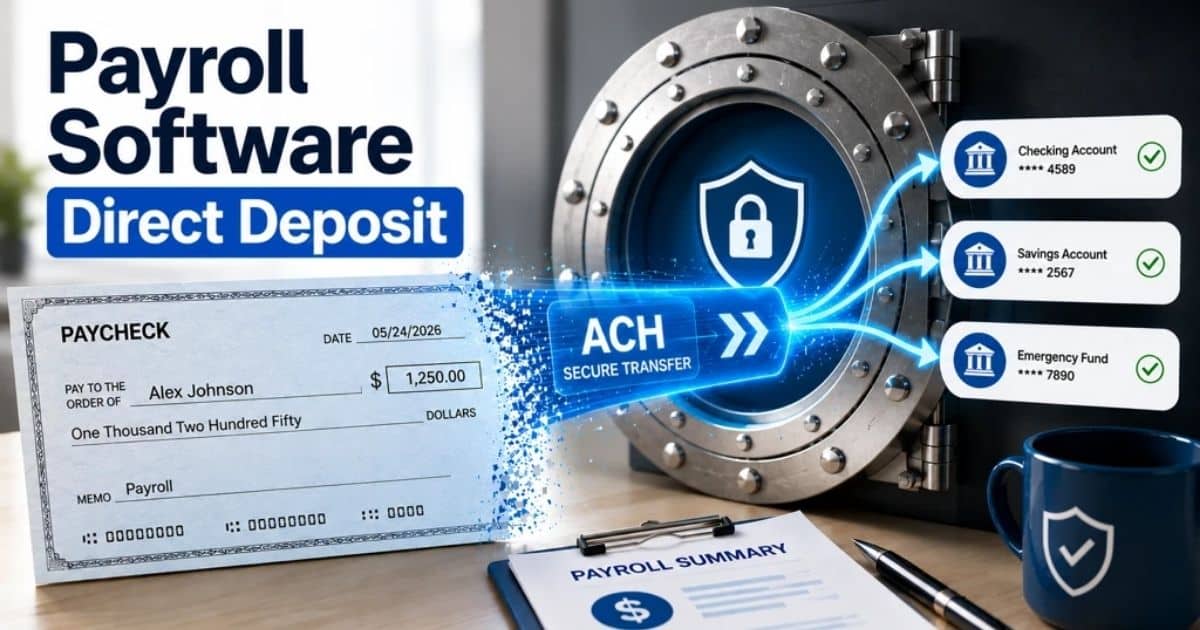
Payment methods also matter during payroll setup. Direct deposit remains the most popular option because it is fast and secure. Recent NACHA data shows over 93% of employees receive wages through direct deposit. Payroll software and online payroll services also help process payroll faster and create digital pay stubs for employees and contractors.
Payroll Software And Compliance Tools
Manual payroll takes time and increases the risk of common payroll mistakes. Many businesses now use automated payroll software for small teams to manage payroll, time tracking, tax filings, and employee management from one HR platform instead of relying on spreadsheets for payroll management. A good payroll solution can also support HR tools, health benefits, and contractor payments.
The best payroll software helps businesses file taxes, track employee hours, and avoid hidden fees. Some payroll service providers even offer HR support and same-day direct deposit. Around 60% of small businesses now use online payroll services to save time and improve payroll accuracy, according to recent industry reports.
Employee Vs Independent Contractor Payroll Rules
Worker classification directly affects payroll taxes, tax filings, benefits, and payroll deductions. Wrong classification can lead to tax penalties and legal issues. Small business owners must understand employee vs independent contractor classification rules before they run payroll for small business operations or pay contractors.
Factor | Employee | Independent Contractor |
|---|---|---|
Tax Withholding | Employer must withhold taxes for federal state and local requirements | Contractor handles own taxes |
Payroll Taxes | Business pays payroll taxes like Social Security and Medicare | Contractor pays self-employment taxes |
Pay Structure | Regular pay period with payroll schedule | Project-based or contract payment |
Benefits | May receive health insurance, retirement plans, and workers comp | Usually no company benefits |
Pay Stubs | Employer provides pay stubs and payroll records | No payroll documents required |
Time Tracking | Business may manage employee hours and time tracking | Contractor controls own work hours |
Tax Forms | Employee receives W-2 forms | Contractor receives 1099-NEC forms |
HR Support | Included in employee management and HR tools | Limited HR involvement |
Payroll Software | Added to small business payroll software system | Often managed separately |
Legal Control | Employer controls work process and schedule | Contractor controls how work gets done |
Compliance Risk | Errors can create costly penalties and audits | Misclassification may trigger IRS fines |
Payroll Process | Included in full payroll setup and payroll service workflows | Usually separate from standard payroll process |
Key Payroll Laws And Tax Requirements For Small Businesses
Payroll compliance is one of the biggest challenges for small business owners. Late tax filings, incorrect payroll deductions, or missing payroll records can lead to costly penalties. A strong payroll process helps businesses stay compliant with federal state and local payroll laws while maintaining timely payments.
Federal Payroll Tax Rules
Every business that runs payroll must handle federal payroll taxes correctly. Employers must withhold taxes for Social Security, Medicare, and federal income tax from employee wages. Businesses also need an employer identification number before they process payroll or file taxes.
The IRS reported that payroll tax penalties generate billions of dollars every year from employer mistakes. Small business payroll software and online payroll services help reduce errors through automatic calculations and tax filings. Accurate payroll setup also helps small business owners avoid delays and compliance issues.
State And Local Tax Requirements
State and local payroll rules vary across the country. Some states require additional payroll taxes, disability insurance, or local income tax deductions. State unemployment insurance rules also differ based on business size and employee count.
Many small business owners struggle to manage payroll across multiple locations because tax laws change frequently. Payroll software for small teams can simplify tax filings and maintain accurate records automatically. A trusted payroll compliance guide for small businesses can also help businesses handle payroll compliance and reduce administrative pressure.
Employee Wage And Overtime Laws
Wage laws protect employees from unfair payment practices. Federal law requires most businesses to pay at least the minimum wage and overtime for eligible workers. Overtime usually applies after 40 work hours in one week.
Time tracking plays a major role in payroll accuracy. Incorrect employee hours often create common payroll mistakes and disputes. According to the U.S. Department of Labor, employers pay millions yearly in wage violation settlements. Reliable employee time tracking apps and smart attendance tracking software with real-time timeline views and HR tools help businesses manage time tracking, direct deposit, and pay stubs more accurately.
Payroll Records And Tax Filing Deadlines
Businesses must maintain payroll records for tax reporting and audits. Important documents include employee details, payroll deductions, pay stubs, contractor payments, and year-end tax forms. Most employee payroll records should stay stored for at least three to four years.
Late tax filings can create serious tax penalties. Many payroll service providers offer automatic reminders and all-in-one payroll features to help businesses file payroll taxes on time. Payroll HR systems also support employee management, health insurance tracking, retirement plans, and workers comp reporting in one platform.
How To Set Up A Payroll System For Small Business
A reliable payroll management system helps small business owners save time, avoid tax penalties, and maintain timely payments. Proper payroll setup also improves employee management and payroll accuracy. Businesses need organized payroll records, tax details, and the right payroll software and can benefit from reviewing the best payroll software for small businesses in 2026 before they process payroll.
Employer Tax Registration
Every small business must complete payroll registration before paying employees. An employer identification number is required to file payroll taxes and report employee wages. Businesses also need state unemployment insurance accounts and local tax registration in many states.
Federal state and local agencies use this information for payroll compliance and tax filings. Missing registrations can delay payroll setup and create costly penalties. Payroll service providers and online payroll services often guide businesses through the registration process to simplify payroll management.
Employee Payroll Documents
Employee records are essential for small business payroll. Employers must collect tax forms, direct deposit details, and work agreements before the first pay period. Payroll deductions for health insurance, retirement plans, and workers comp should also stay documented clearly.
Accurate records help businesses withhold taxes correctly and avoid common payroll mistakes. The IRS estimates that payroll errors affect millions of employees every year. Payroll HR systems and HR tools help manage payroll records, employee hours, and pay stubs from one platform.
Payroll Schedule Selection
A payroll schedule defines how often employees receive wages. Many small business owners choose biweekly pay periods because they balance cash flow and payroll workload. Weekly and monthly payroll schedules also work for certain industries and contractor payments.
Clear payroll timing supports timely payments and employee satisfaction. Research from the American Payroll Association shows most U.S. businesses use biweekly payroll cycles. A structured payroll process also helps businesses file taxes on time and maintain organized payroll records.
Payroll Software And Automation
Manual payroll often creates delays and calculation errors. Many businesses now use payroll automation software for small teams to automate payroll taxes, time tracking, and direct deposit. Modern payroll software also supports employee management and advanced payroll reporting.
The best payroll software can save time and reduce administrative work. Around 70% of small businesses now rely on online payroll services or a payroll company for payroll operations. Many of these tools are part of broader all-in-one HR management systems. All-in-one payroll platforms also include HR support, health benefits management, and team management tools without additional cost surprises.
Time Tracking And Payment Setup
Employee hours directly affect payroll accuracy. Businesses need reliable time tracking systems before they run payroll for small business operations. Digital tools help manage time tracking, overtime, contractor payments, and payroll deductions more efficiently.
Payment setup is also important during payroll setup. Direct deposit remains the preferred option because employees receive faster access to wages. Some payroll providers now offer same-day direct deposit for faster payroll processing. Accurate payment systems improve employee trust and help businesses handle payroll smoothly every pay period.
Step-by-Step Process To Run Payroll For Small Business
A clear payroll processing process helps small business owners avoid delays, payroll taxes mistakes, and employee payment issues. Organized payroll setup also improves cash flow and compliance. Businesses that follow a structured process payroll faster and maintain accurate records every pay period.
Step 1: Collect Employee Hours And Payroll Data
Accurate payroll starts with correct employee information. Businesses must collect employee hours, overtime details, payroll deductions, contractor payments, and paid leave records before each pay period. Time tracking tools help reduce manual mistakes and improve payroll accuracy.
Many small business payroll errors happen because of incorrect work hours or missing records. The American Payroll Association reports that automated time tracking can reduce payroll errors by nearly 80%. Payroll software for small teams also helps manage payroll records and employee management tasks from one dashboard.
Step 2: Calculate Wages And Payroll Taxes
After employee data is ready, businesses calculate gross pay, payroll deductions, and payroll taxes. Employers must withhold taxes for Social Security, Medicare, and federal state and local tax requirements. Health insurance, retirement plans, and workers comp costs may also affect final wages.
Manual calculations often create common payroll mistakes. Small business payroll software and online payroll services automate tax calculations and reduce compliance risks. Many payroll service providers also update tax laws automatically to help businesses avoid costly penalties and late tax filings.
Step 3: Send Employee Payments
Employee payments should follow the approved payroll schedule. Many small business owners use direct deposit because it offers secure and timely payments. Some payroll providers now support same day direct deposit for faster wage access.
Employees also expect accurate pay stubs and payment records every pay period. Payroll software and HR tools can generate digital pay stubs automatically. According to NACHA, more than 93% of U.S. workers now receive wages through direct deposit, making it the preferred payroll solution for modern businesses.
Step 4: File Taxes And Store Payroll Records
Payroll responsibilities continue after paying employees. Businesses must file payroll taxes, submit year-end tax forms, and maintain payroll records for audits and compliance checks. Federal state and local agencies require businesses to keep payroll documents for several years.
Late tax filings can trigger tax penalties and extra fees. Payroll service providers and all-in-one payroll platforms often automate tax filing and document storage. A reliable payroll HR system also helps businesses save time, handle payroll compliance, and manage your team more efficiently.
How To Calculate Employee Pay, Deductions, And Taxes
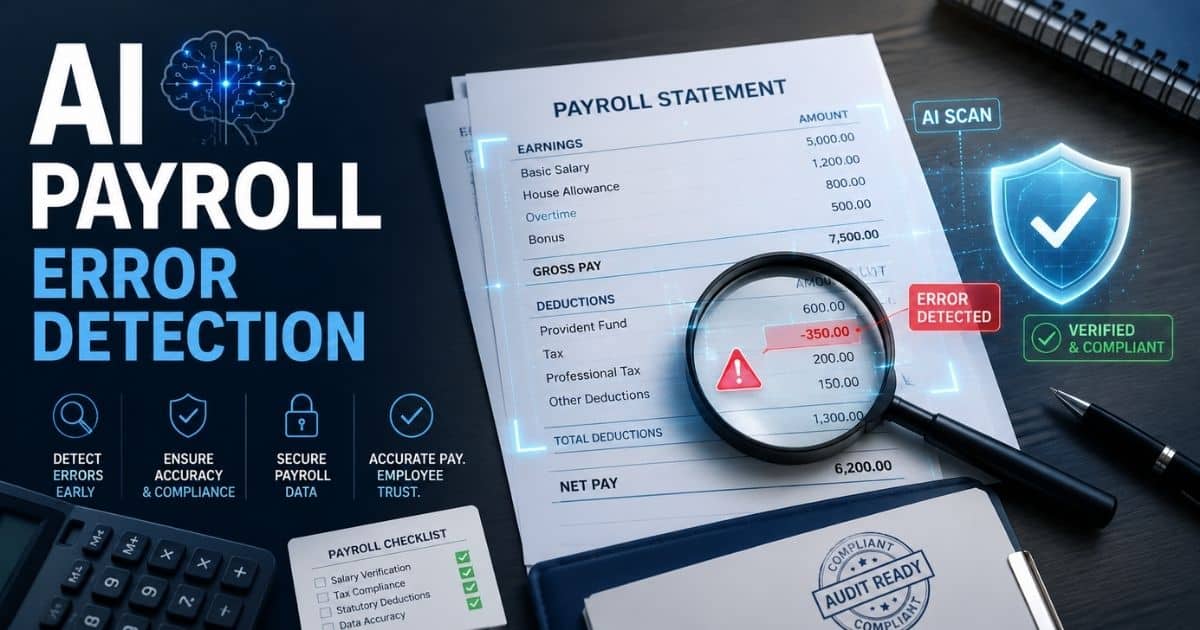
Payroll calculations affect employee trust, tax filings, and business compliance. Even small payroll mistakes can create tax penalties and payment disputes. Regular payroll audit strategies and a clear payroll processing software strategy help small business owners calculate wages, payroll deductions, and payroll taxes accurately every pay period.
Gross Pay Calculation
Gross pay is the total amount employees earn before payroll deductions and taxes. Businesses calculate gross wages based on employee hours, salary agreements, overtime, bonuses, or contractor payments. Accurate time tracking is important because payroll errors often start with incorrect work hours.
For hourly employees, the formula is:
Gross Pay = Hourly Rate × Hours Worked
Example:
20×40=800
An employee who earns $20 per hour and works 40 hours receives $800 gross pay. Overtime wages usually apply after 40 hours per week under federal law. Payroll software for small business automatically calculates overtime and reduces common payroll mistakes.
Payroll Deduction Calculation
Payroll deductions reduce gross pay before employees receive final wages. Common deductions include payroll taxes, health insurance, retirement plans, workers comp, and benefit contributions. Small business payroll software helps businesses manage payroll deductions and maintain accurate records.
The basic formula is: Net Pay = Gross Pay−Total Deductions
Example:
800−180=620
If an employee earns $800 gross pay and total deductions equal $180, the employee receives $620 net pay. According to the IRS, payroll tax mistakes remain one of the top reasons businesses face compliance penalties each year.
Payroll Tax Calculation
Businesses must withhold taxes for Social Security, Medicare, and federal state and local tax requirements. Employers also pay part of payroll taxes separately. Correct tax filings help businesses avoid costly penalties and late payment fees.
The Social Security tax formula is: Social Security Tax = Employee Wages × 6.2%
Example:
800×0.062=49.60
An employee with $800 taxable wages pays $49.60 for Social Security taxes. Payroll service providers and online payroll services often automate payroll taxes, direct deposit, pay stubs, and year-end tax forms. Many small business owners use all-in-one payroll solutions to save time and simplify payroll compliance.
Payroll Schedules And Payment Methods Explained
A proper payroll schedule keeps employee payments consistent and helps businesses maintain healthy cash flow. Payment methods also affect payroll accuracy and employee satisfaction. Small business owners should choose payroll systems that support timely payments, tax filings, and smooth payroll management.
Common Payroll Schedule Types
Every business needs a clear pay period structure before they run payroll for small business operations. Weekly, biweekly pay periods, semi-monthly, and monthly schedules are the most common options. Many small business owners prefer simple payroll software for small businesses to manage biweekly payroll because it balances payroll workload and employee expectations.
According to the American Payroll Association, nearly 43% of U.S. businesses use biweekly pay periods. Regular payroll schedules also help businesses process payroll, manage payroll taxes, and maintain accurate records more efficiently. Payroll software and online payroll services can automate payroll schedules and reduce common payroll mistakes.
Popular Employee Payment Methods
Direct deposit remains the most widely used payroll payment method today. Employees receive faster access to wages, and businesses save time on paper checks. Many payroll providers now offer same-day direct deposit through advanced payroll platforms.
NACHA reports that more than 93% of American workers receive wages through direct deposit. Payroll software for small business also supports digital pay stubs, contractor payments, and payroll records from one HR platform. Some payroll service providers even combine employee management, HR support, health insurance, and payroll HR tools into one all-in-one payroll solution.
Manual Payroll Vs Payroll Software For Small Businesses
Small business owners can manage payroll manually or use payroll software to automate the process. Many choose Payrun as the best HR software for small businesses when they want a tool tailored to smaller teams. Both options have advantages and challenges. The right payroll solution depends on business size, employee count, payroll complexity, compliance needs, and available time for payroll management.
Factor | Manual Payroll | Payroll Software |
|---|---|---|
Payroll Process | Handled manually with spreadsheets or paper records | Automated payroll process through software |
Payroll Taxes | Manual tax calculations and tax filings | Automatic payroll taxes and tax updates |
Accuracy | Higher risk of common payroll mistakes | Better payroll accuracy and compliance |
Time Tracking | Manual employee hours management | Built-in time tracking and employee management |
Payroll Records | Stored manually | Digital payroll records with direct access |
Direct Deposit | Often unavailable or limited | Supports direct deposit and same day direct deposit |
Pay Stubs | Created manually | Automatic digital pay stubs |
Compliance Support | Business handles tax laws alone | Payroll provider updates federal state and local rules |
Payroll Schedule | Requires manual calendar tracking | Automated payroll schedule management |
HR Support | Limited HR tools | Includes HR support and payroll HR features |
Health Benefits | Separate management process | Integrated health insurance and retirement plans |
Contractor Payments | Manual contractor payment tracking | Automated contractor payments |
Cost | Lower upfront cost | Monthly subscription or additional cost |
Scalability | Difficult for growing businesses | Better for advanced payroll and business growth |
Hidden Fees Risk | Minimal software cost | Some payroll service providers may charge hidden fees |
Best Use Case | One employee or very small payroll setup | Growing small business payroll operations |
Essential Features Of A Payroll Software
The right payroll software can simplify payroll management and reduce costly mistakes. Small business owners now expect more than basic payroll processing. Guides to the best HR software for small businesses show that modern simple payroll software for small businesses solutions should support payroll taxes, employee management, HR tools, direct deposit, and compliance from one platform.
Automatic Payroll Tax Management
Payroll taxes remain one of the biggest concerns for small businesses. Good payroll software should calculate payroll taxes automatically and support tax filings for federal state and local requirements. Automated systems help businesses avoid manual errors and late filing penalties.
The IRS reports that payroll tax mistakes remain one of the most common business compliance issues. Payroll service providers that automate tax updates can save time and improve payroll accuracy. Many online payroll services also file payroll taxes directly through integrated payroll HR systems.
Time Tracking And Employee Management
Accurate employee hours are essential for payroll accuracy. Payroll software for small teams should include built-in time tracking and employee management tools so you can handle both time tracking vs attendance tracking needs effectively. Businesses can monitor overtime, contractor payments, and attendance from one dashboard.
Research from the American Payroll Association shows automated time tracking reduces payroll errors significantly. Team management tools also improve payroll records and simplify payroll setup. Many small business payroll software platforms now connect employee schedules, HR support, and payroll processing together.
Direct Deposit And Digital Payments
Fast employee payments improve trust and workplace satisfaction. Modern payroll software should support direct deposit, same-day direct deposit, digital pay stubs, and multiple payment methods. Businesses can process payroll faster without paper checks or manual transfers.
NACHA data shows more than 93% of employees prefer direct deposit over physical checks. Payroll providers also support contractor payments and flexible payroll schedules through online payroll services. Faster payment systems help businesses maintain timely payments and stable cash flow.
Payroll Reports And Record Storage
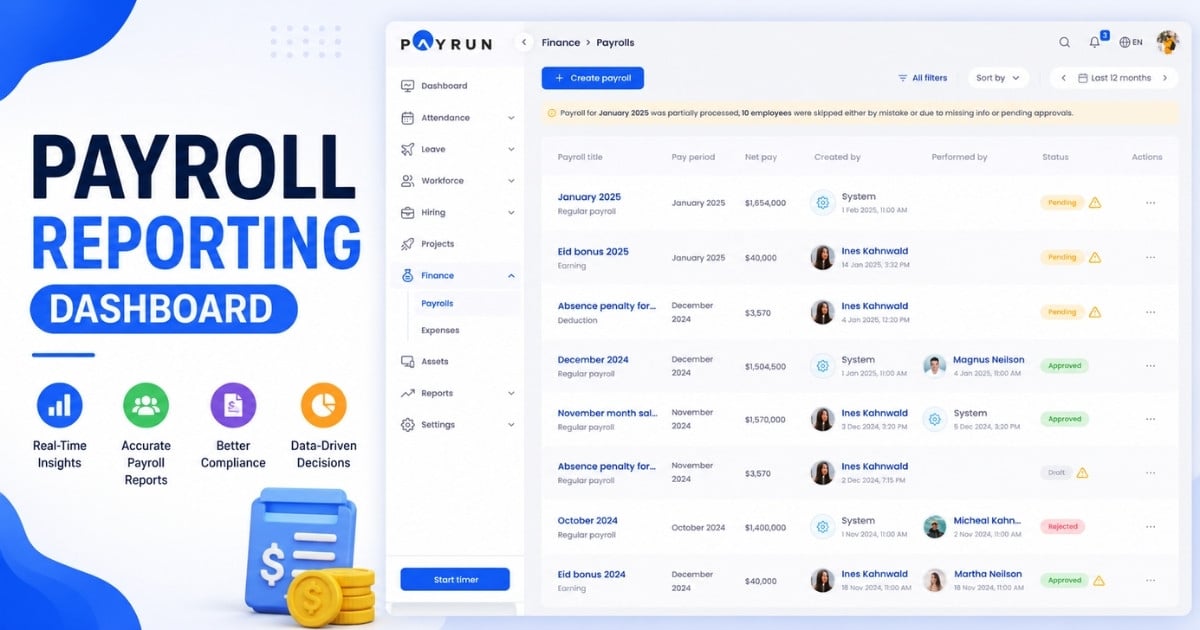
Payroll records are important for compliance and tax audits. A reliable payroll solution should generate payroll reports, maintain accurate records, and store year-end tax forms securely. Businesses also need direct access to employee payment history and payroll deductions.
Cloud based payroll software makes payroll records easier to organize and retrieve. Many payroll companies now offer advanced payroll reporting and payroll analytics. Valuable insights from payroll reports can help small business owners improve budgeting and labor planning.
HR Tools And Benefit Management
Modern payroll software often includes more than payroll processing. Many all-in-one payroll systems now offer HR tools, health insurance management, retirement plans, workers comp tracking, and employee onboarding support, closely matching the HR software feature list for small businesses that most growing teams now expect.
Businesses that combine payroll HR tools into one HR platform usually save time and reduce administrative work. Recent industry reports show more than 65% of businesses now prefer integrated payroll service providers instead of separate HR systems because they deliver the essential HR software features small businesses need. Centralized HR support also helps businesses handle payroll and manage your team more efficiently.
Common Payroll Mistakes Small Businesses Must Avoid
Payroll mistakes can hurt cash flow, employee trust, and tax compliance. Even small payroll errors may lead to tax penalties, audits, or delayed payments. Small business owners need a reliable payroll process to manage payroll accurately and protect business operations.
Wrong Employee Classification
Employee classification mistakes are very common in small business payroll. Some businesses treat full-time employees as independent contractors to reduce payroll taxes. Wrong classification can create major legal and tax issues later.
The IRS closely monitors contractor payments and worker status. Businesses may face costly penalties, unpaid payroll taxes, and back wages after audits, especially when they repeat the payroll mistakes businesses must avoid. Payroll software and payroll service providers can help small business owners maintain accurate records and handle payroll compliance correctly.
Missed Payroll Tax Deadlines
Late payroll taxes and tax filings create serious financial risks. Businesses must file payroll taxes on time for federal state and local agencies. Delays often happen when payroll records stay disorganized or payroll schedules lack structure.
The IRS collects billions of dollars yearly from payroll-related penalties and interest charges. Payroll software for small businesses can automate reminders, tax calculations, and filing schedules. Online payroll services also help businesses save time and reduce compliance pressure during busy pay periods.
Incorrect Employee Hours
Payroll calculations depend heavily on correct employee hours. Manual time tracking often creates mistakes in overtime pay, payroll deductions, and direct deposit amounts. One small error can affect employee trust and payroll accuracy.
Research from the American Payroll Association shows automated time tracking reduces payroll errors significantly. Modern payroll solutions connect employee management and time tracking into one HR platform. Businesses can process payroll faster and reduce manual corrections through payroll automation.
Poor Payroll Record Management
Missing payroll records can create problems during tax audits or employee disputes. Businesses should maintain pay stubs, payroll deductions, contractor payments, and year-end tax forms carefully. Accurate records also support better payroll setup and compliance.
Federal agencies usually require businesses to keep payroll records for several years. Cloud-based payroll software and payroll HR systems provide direct access to payroll reports and employee data. Digital storage also improves security and reduces paperwork management challenges.
Wrong Payroll Software Choice
Some businesses choose payroll software only based on price. Cheap systems may include hidden fees, limited HR support, or poor payroll features. Weak payroll tools often create delays, payroll mistakes, and reporting problems.
The best payroll software for startups and growing teams should support direct deposit, payroll taxes, employee management, and payroll records from one platform. Many small business owners now prefer all-in-one payroll systems because they simplify HR tasks and payroll management. A reliable payroll provider can also deliver valuable insights and long-term support for growing businesses.
Cost To Run Payroll For Small Business
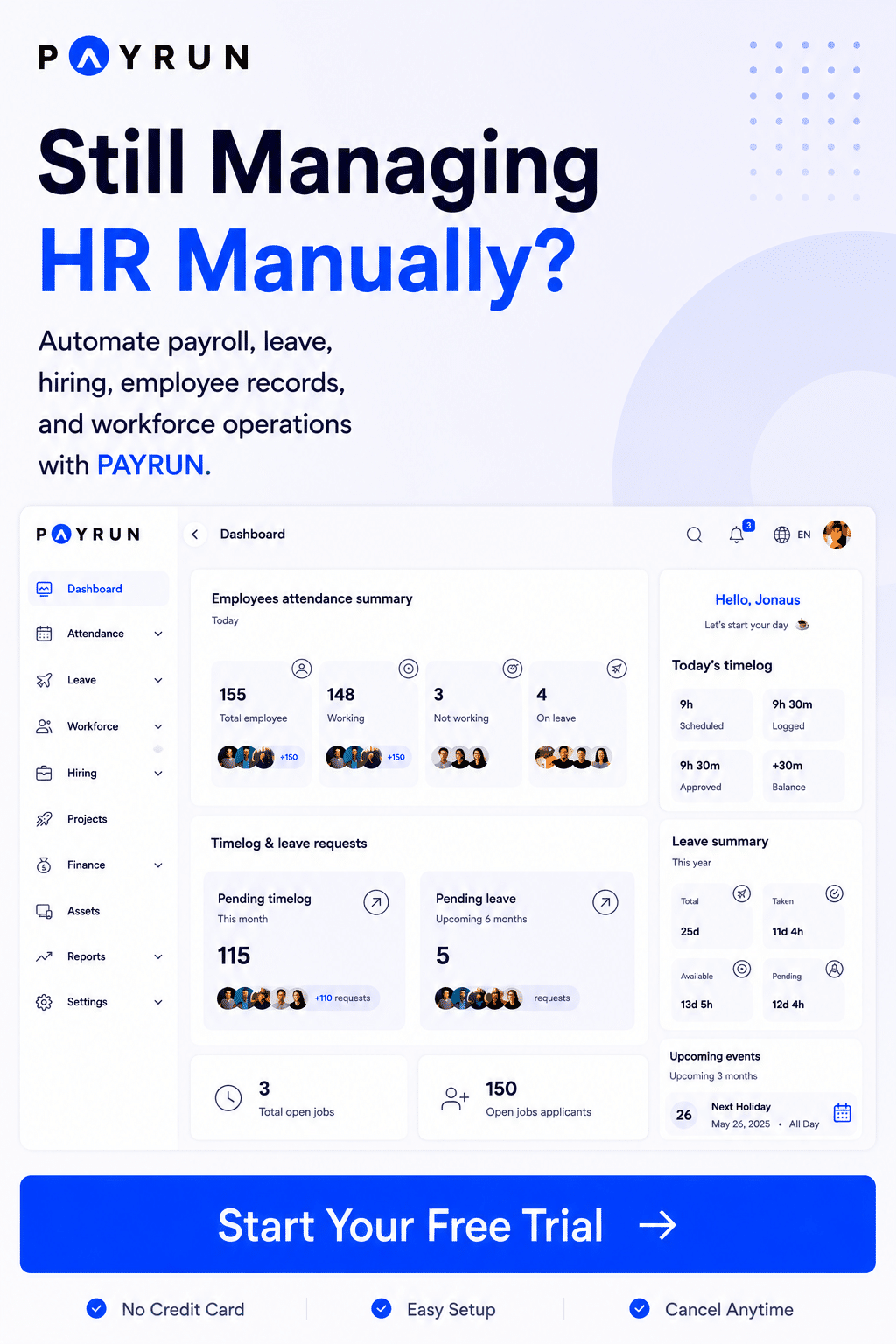
Payroll costs can increase quickly when businesses use multiple HR tools, payroll providers, and separate employee management systems. Comparisons like Payrun vs Homerun show how choosing the right platform affects both cost and features. Payrun simplifies payroll management with transparent pricing, built-in HR support, time tracking, payroll records, and all-in-one payroll features for growing teams.
Payrun Plan | Monthly Price | Best For | Included Users | Key Features |
|---|---|---|---|---|
Free | $0/month | Startups and very small teams | 3 users | Time tracking, 1 active job listing, 50 candidates, 1 worksheet, payroll dashboard |
Starter | $29/month | Small business payroll setup | 5 users | 3 active job listings, 500 candidates, 3 departments, asset management |
Pro | $49/month | Growing businesses | 7 users | Payroll management, expense reimbursement, AI resume screening, 5 worksheets, 100 AI credits |
Enterprise | $99/month | Large and multi location businesses | 10 users | Unlimited departments, unlimited worksheets, unlimited projects, 250 AI credits |
Additional User Cost | Starts at $4.95/user | Team expansion | Flexible | Scales with employee management needs |
Additional Job Listing | Starts at $9.95/job | Hiring growth | Flexible | Supports recruitment and hiring management |
Direct Deposit Support | Included in payroll features | Employee payments | Available in paid plans | Faster payroll processing and timely payments |
Payroll HR Tools | Included | HR professionals and managers | Paid plans | HR platform, employee records, payroll reports |
Time Tracking | Included | Payroll accuracy | All plans | Employee hours and attendance management |
Payroll Tax Support | Included in payroll tools | Compliance management | Paid plans | Payroll taxes and payroll records support |
Best Practices To Simplify Small Business Payroll Management
Payroll management becomes difficult when businesses rely on manual processes and scattered records. Embracing HR automation for modern businesses and a clear payroll process helps small business owners reduce errors, save time, and maintain timely payments. Strong payroll habits also improve compliance, employee trust, and overall business operations.
Use Payroll Software Automation
Manual payroll creates delays and increases payroll mistakes. Many small business owners now use payroll automation software to automate payroll taxes, direct deposit, payroll deductions, and tax filings. Automation also improves payroll accuracy and reduces repetitive HR tasks.
Recent industry reports show more than 70% of businesses now rely on online payroll services or payroll software for small teams. Modern payroll management systems also include HR tools, employee management, and payroll records in one HR platform. Automated payroll systems help businesses process payroll faster and avoid costly penalties.
Maintain Accurate Payroll Records
Payroll records help businesses stay compliant with tax laws and payroll regulations. Employers should store employee hours, pay stubs, contractor payments, payroll deductions, and year-end tax forms securely. Organized payroll records also make audits and tax filings easier.
Federal agencies often require businesses to keep payroll records for several years. Cloud-based employee payroll records and employee record management systems software give direct access to payroll reports and employee data from one dashboard. Accurate records also support better cash flow planning and payroll management decisions.
Follow A Fixed Payroll Schedule
A consistent payroll schedule improves employee satisfaction and payroll efficiency. Many businesses prefer biweekly pay periods because they simplify payroll calculations and timely payments. Employees also trust businesses that maintain reliable pay periods without delays.
A structured payroll schedule helps businesses manage payroll taxes and payroll processing more effectively. Payroll providers and all-in-one payroll systems can automate payroll reminders and payment processing. Regular payroll cycles also reduce common payroll mistakes and compliance risks.
Review Payroll Compliance Regularly
Payroll rules change often at the federal state and local level. Businesses should review payroll setup, payroll taxes, workers comp, and health insurance deductions regularly, using structured payroll audit strategies where possible. Small payroll mistakes can quickly turn into tax penalties and legal problems.
Payroll service providers and payroll HR platforms help businesses stay updated with changing tax laws. Many small business payroll software systems now include compliance alerts and payroll reports automatically. Regular reviews help businesses handle payroll confidently and manage your team more efficiently.
Future Trends In Small Business Payroll Systems
Payroll systems continue to evolve as businesses demand faster, smarter, and more flexible solutions. Modern payroll software now combines payroll management, HR tools, employee management, and compliance support into one platform. Small business owners should understand future payroll trends before upgrading payroll systems.
AI-Powered Payroll Automation
Artificial intelligence is changing how businesses process payroll and manage payroll records. Modern automated payroll software can now automate payroll taxes, payroll deductions, tax filings, and payroll reports with minimal manual work. AI tools also reduce common payroll mistakes and improve payroll accuracy.
Recent industry reports show AI adoption in HR and payroll systems continues to grow rapidly among small businesses. Payroll compliance software and comprehensive HR platforms like Payrun's innovative HR management suite now use automation to support direct deposit, contractor payments, and employee management. Advanced payroll systems also provide valuable insights for labor costs and workforce planning.
Integrated Payroll And HR Platforms
Businesses no longer want separate payroll and HR tools. Many companies now prefer all-in-one payroll systems that combine payroll HR features, time tracking, health insurance, retirement plans, and workers comp management together, especially when managing remote teams with cloud HR tools.
Integrated HR platforms help businesses save time and simplify payroll setup. Team management tools also improve employee records and payroll compliance across departments. Industry studies show businesses using connected payroll solutions often reduce administrative workload significantly compared to manual payroll systems.
Flexible Employee Payment Options
Employee payment preferences continue to change. Many workers now expect same-day direct deposit, digital pay stubs, and flexible payroll schedules instead of traditional payment methods. Faster payments improve employee satisfaction and financial flexibility.
Payroll providers continue to expand direct deposit features and mobile payroll access. Online payroll services also support remote payroll management and real-time employee hours tracking, often relying on modern time tracking software for accuracy. Small business payroll software now focuses heavily on user experience, faster payroll processing, and easier access to payroll records from mobile devices.
How Payrun Streamlines Small Business HR And Payroll Management
Many small business owners struggle to manage payroll, employee records, tax filings, and HR tasks across different tools. Payrun’s mission as a trustworthy HR management partner is to solve these challenges by combining payroll software, employee management, time tracking, and HR support into one all-in-one HR platform. This all-in-one payroll solution helps businesses process payroll faster, maintain accurate records, and reduce common payroll mistakes.
Payrun supports payroll taxes, direct deposit, payroll records, pay stubs, contractor payments, and payroll schedule management from one dashboard. Businesses can also manage employee hours, leave requests, hiring, and health benefits without switching between systems using Payrun’s all-in-one HR platform. Recent payroll industry data shows payroll errors cost small businesses an average of $845 per incident, while manual payroll can consume up to 20 hours weekly. Payrun helps reduce that workload through automation and streamlined payroll workflows.
FAQs
Can Small Businesses Run Payroll Without Payroll Software?
Yes, small business owners can run payroll manually, but the process takes more time and increases the risk of payroll mistakes. Simple payroll software for small businesses helps automate payroll taxes, direct deposit, pay stubs, and tax filings while improving payroll accuracy and compliance.
Does Payroll Software Help With Tax Compliance?
Yes, modern payroll software helps businesses file payroll taxes, track payroll deductions, and follow federal state and local tax laws. Many payroll service providers also automate tax filings and compliance alerts to reduce costly penalties and late payment risks.
What Is The Best Payroll Schedule For Small Business Payroll?
Biweekly pay periods remain the most common payroll schedule for small business payroll because they balance cash flow and employee expectations. A structured pay period also helps businesses manage payroll records, payroll taxes, and timely payments more efficiently.
Can Payroll Services Support Contractors And Remote Teams?
Yes, many online payroll services now support contractor payments, remote employee management, time tracking, and direct deposit from one HR platform. Advanced HR and payroll software for SaaS and software businesses systems with features like automated leave management also help businesses maintain accurate records and manage payroll across multiple locations.
Why Do Many Small Business Owners Outsource Payroll?
Many small business owners choose outsourcing payroll because payroll management requires constant attention to tax laws, payroll records, and compliance deadlines. A payroll compliance guide for small businesses, a strong recruitment process powered by Payrun's hiring system, and a payroll service provider can save time, reduce HR tasks, and simplify payroll processing through automation and expert support.