Time slips away faster than most teams realize. Manual logs miss hours. Spreadsheets create errors. Payroll gets messy. Managers spend time fixing data instead of making decisions. That gap costs money and trust.
Automated time tracking changes how work gets recorded. It captures hours in real time. No guesswork. No chasing updates. Teams stay focused, while the system handles the details. You get clean data without extra effort.
Accurate time data leads to better payroll, clear insights, and stronger control over costs. It also helps teams stay accountable without pressure. When time tracking runs in the background, everything else runs more smoothly.
What Is Automated Time Tracking
Automated time tracking records work hours without manual entry. A modern time tracking app or time tracking software captures time spent across tasks and projects. It runs in the background and logs tracked time entries using an automated time tracker. Teams can track time, manage billable hours, and keep clean time entries. Many tools come as a web app, desktop apps, and mobile apps, so each team member can use one app across all its apps.
Automatic time tracking also supports task management and project management. It connects with project management tools and your current tech stack. You get accurate time data, real-time data, and clear time tracking data. With reporting features and custom reports, managers view team performance, productivity trends, and project profitability.
A good time tracking tool helps with client billing. It can create invoices, bill clients, and handle billable rates. Many offer a free plan or a generous free tier with basic features, unlimited users, and unlimited projects. Tools like Payrun show how automatic time tracking improves team management and supports smarter business decisions.
Key Benefits Of Automated Time Tracking For Businesses
Accurate time data drives better decisions. Many teams still rely on manual logs and face errors. Automated time tracking removes that gap. It captures work hours in real time and improves visibility. Businesses gain control over costs, productivity, and project outcomes.
Reduce Payroll Errors And Costs
Manual time tracking often leads to mistakes. Missing time entries and wrong calculations affect payroll. Automated time tracking software fixes that with accurate time data and tracked time entries. A reliable time tracking app records work hours without guesswork.
Reports show companies using time tracking software reduce payroll errors by up to 30%. That means fewer disputes and better trust. A time tracking tool also helps track billable hours and bill clients correctly. Clean data supports smoother client billing and improves financial control.
Improve Team Productivity And Focus
Teams lose hours without clear tracking. A time tracker shows how time is spent across tasks. Automated time tracking helps each team member stay focused on priority work. It removes the need for constant manual entry.
Studies suggest employees waste nearly 20% of work hours due to poor tracking and distractions. With real-time data and productivity tools, managers see productivity trends and team performance clearly. That insight helps teams adjust faster and improve personal productivity without pressure.
Gain Clear Project And Task Visibility
Project delays often come from poor visibility. Automated time tracking gives a complete overview of time spent on various tasks, especially when supported by employee timeline tracking. It works well with project management tools and task management systems.
Managers can track time across unlimited projects and monitor project profitability. Detailed reports and reporting features help a project manager understand workload and resource use. Clear time tracking data improves planning and keeps projects on track.
Simplify Client Billing And Invoicing
Billing errors hurt client trust. Automated time tracking ensures accurate time logs for every client work session. It tracks billable rates and supports easy invoice creation.
A good time tracking software lets businesses create invoices based on tracked time entries. Many tools also allow export data for accounting systems. Reports show automated billing systems can reduce invoice disputes by over 25%. Accurate billing builds stronger client relationships and steady revenue.
Support Better Business Decisions With Data
Decisions need reliable data. Automated time tracking provides real-time data and activity data from daily work. That helps leaders understand team’s time usage and overall performance.
Custom reports and complex reports give deeper insights into productivity trends and project outcomes. Businesses can adjust workflows and improve efficiency based on accurate time tracking data. Strong insights lead to smarter business decisions and long-term growth.
Key Features Of An Automated Time Tracking Software
Right features decide how well a system works. Many tools look similar but deliver different results. Automated time tracking software should offer accuracy, flexibility, and insights. The right setup improves team management, payroll, and project outcomes without adding complexity.
Real-Time Tracking And Accurate Data
A strong time tracking app must capture time in real time. It should record time spent without manual entry. An employee time tracking app tracks work hours across desktop apps, mobile apps, and a web app. That ensures each team member logs accurate time without effort.
Accurate time data reduces errors in payroll and client billing. Studies show businesses using automatic time tracking improve data accuracy by over 25%. Clean time entries also help track billable hours and support better reporting. Reliable time tracking data builds trust across teams and management.
Project And Task Management Support
A modern time tracking tool should connect with project management tools. It must support task management and track time across various tasks. Teams can manage unlimited projects and view tracked time entries in one place.
This setup helps a project manager monitor workloads and deadlines. It also improves team performance and simplifies team management. Reports suggest companies using integrated project management features improve delivery speed by nearly 20%. Clear visibility leads to better planning and smoother execution.
Detailed Reports And Insights
Good time tracking software should offer detailed reports and custom reports. These employee time log reports show time data, productivity trends, and team’s time usage. Managers get a complete overview of work hours and activity data.
Reporting features help identify gaps and improve workflows. Businesses using data-driven tools see up to 30% improvement in efficiency. Complex reports also support project profitability and smarter business decisions. Strong insights turn raw time log data into real value.
Billing And Invoice Management
Automated time tracking software should support client billing with ease. It must track billable hours, apply billable rates correctly, and connect smoothly with automated payroll software. A time tracking app should also allow teams to create invoices based on tracked time entries.
Accurate billing reduces disputes and improves cash flow. Reports show automated systems cut billing errors by around 25%. Export data features help connect with accounting tools. Clean and accurate billing builds long-term client trust and supports steady revenue growth.
Integration And Flexibility Across Tools
A flexible time tracking software must fit into your current tech stack. It should work with favorite apps, browser extension tools, and project management platforms. That keeps all time tracking data in sync.
Modern tools offer free features, a free plan, or even a generous free tier for small teams. Many support unlimited users and scale well for large teams. Easy integration across all its apps improves workflow and saves time. One app that connects everything makes operations simple and efficient.
Automated Time Tracking Vs Manual Time Tracking Methods
Manual methods rely on memory and spreadsheets. Errors happen often. Automated time tracking removes guesswork and captures work hours in real time, while attendance tracking focuses on presence and punctuality. It improves accuracy, saves time, and gives better visibility into team performance and project costs.
Aspect | Automated Time Tracking | Manual Time Tracking |
|---|---|---|
Accuracy | High accuracy with real-time data and automated time tracker | Prone to errors due to manual entry and missed logs |
Time Entries | Captures tracked time entries automatically | Requires manual input for every time log |
Productivity | Helps improve personal productivity and team performance | Wastes time on admin work and corrections |
Billable Hours | Tracks billable hours and supports client billing easily | Hard to track billable rates and bill clients correctly |
Reporting | Offers detailed reports, custom reports, and productivity trends | Limited insights with basic or no reporting features |
Team Management | Simplifies team management with clear visibility | Difficult to monitor team’s time and workload |
Integration | Works with project management tools and current tech stack | No integration with other systems |
Scalability | Supports unlimited users and large teams | Becomes complex as team size grows |
Data Insights | Provides accurate time data for smarter business decisions | Lacks reliable data for decision-making |
Flexibility | Available via web app, mobile apps, and desktop apps | Often limited to spreadsheets or notes |
How Automated Time Tracking Improves Payroll Accuracy
Payroll errors often come from poor time data. Manual logs miss hours and create disputes. Automated time tracking fixes that with real time records. It connects work hours, billable rates, and reports, especially when paired with payroll automation software. Businesses gain clean data, fewer mistakes, and faster payroll cycles.
Accurate Work Hours Capture
A time tracking app records work hours as they happen. An automated time tracker removes manual entry and captures tracked time entries across desktop apps, mobile apps, and a web app. Each team member logs time without effort, so gaps disappear.
Accurate time data improves payroll accuracy. Studies show automated time tracking can reduce time-related payroll errors by up to 30%. Reliable time entries ensure employees get paid for exact hours worked. That builds trust and avoids payroll disputes.
Error-Free Time Entries And Validation
Manual time logs often include duplicate or missing entries. Automated time tracking software validates time entries and flags issues early. A time tracking tool checks time log data before it reaches payroll.
Clean time tracking data reduces costly corrections. Businesses report up to 25% fewer payroll adjustments after switching to automatic time tracking. Validation rules and activity data help maintain accurate time. Fewer errors mean smoother payroll processing and less admin work.
Seamless Integration With Payroll Systems
A good time tracking software connects with payroll and accounting systems. It fits into your current tech stack and syncs time data without manual transfer as part of a broader payroll management system. That removes delays and reduces errors.
Integration with project management tools and reporting features ensures all data stays aligned. Teams can export data or automate payroll runs. Reports show companies using integrated systems cut payroll processing time by nearly 20%. Faster workflows improve overall efficiency.
Clear Overtime And Billable Tracking
Overtime mistakes can increase payroll costs. Automated time tracking tracks billable hours and overtime with precision. A time tracker shows time spent on each task and highlights extra work hours.
Accurate tracking billable and overtime hours helps businesses control costs. Reports suggest companies reduce overtime miscalculations by over 15% with automated systems. Clear visibility also supports fair pay and better client billing. Employees feel more confident when hours are tracked correctly.
Detailed Reports For Payroll Audits
Payroll audits require clear records. Automated time tracking provides detailed reports and custom reports for every pay cycle, supporting accurate payroll processing. Managers get a complete overview of time entries, activity data, and team’s time usage.
Reporting features help identify trends and fix issues early. Businesses using advanced reports improve compliance and reduce audit risks. Accurate time tracking data supports smarter business decisions and ensures payroll stays transparent and reliable.
Role Of Automated Time Tracking In Employee Productivity
Productivity drops when teams lack clear data. Manual time tracking hides real work patterns. Automated time tracking brings clarity with real-time data and accurate time logs. Teams understand how time is spent and where focus needs to improve.
Clear Visibility Into Work Hours
A time tracking app shows how each team member spends work hours. Automated time tracking captures tracked time entries across tasks without manual entry. Managers get a complete overview of team’s time and daily activity data.
Clear visibility helps teams adjust quickly. Reports show companies that use time tracking software improve workforce efficiency by up to 20%. When employees see their time log, they understand where time goes. That awareness drives better habits and supports personal productivity.
Better Focus On High-Value Tasks
Distractions reduce productive hours. Automated time tracking helps track time across various tasks and highlights time spent on low-value work. A time tracker makes it easier to stay focused on important tasks.
Teams can prioritize client work and key projects. Studies suggest employees lose nearly 2 hours daily to distractions. With accurate time data and productivity tools, teams shift focus to high-impact work. That leads to stronger output and better results.
Data Driven Performance Insights
Automated time tracking provides detailed reports and custom reports on team performance. Managers can analyze productivity trends and track how time is used across projects using employee productivity tracking insights. This data supports smarter business decisions.
Reports show data-driven teams are up to 25% more productive. Reporting features help a project manager identify gaps and improve workflows. Accurate time tracking data gives clear direction for improving efficiency without guesswork.
Improved Team Accountability And Balance
Accountability improves when time tracking data is transparent. Automated time tracking allows each team member to track your time and review tracked time entries. That creates ownership without pressure.
Balanced workloads reduce burnout. Managers can monitor team management and adjust tasks when needed. Studies show balanced teams perform up to 18% better. Clear insights into work hours help maintain fairness and support long-term productivity.
Less Admin Work And More Productive Time
Manual time tracking takes time away from real work. Automated time tracking removes manual entry and simplifies team management. Teams spend less time updating logs and more time on productive hours.
Businesses report up to 15% time savings after adopting automatic time tracking. A time tracking tool handles background tracking across desktop apps, mobile apps, and browser extension tools, especially when tied into workforce calendar management. Less admin work means more focus on results and consistent performance growth.
Common Challenges Of Automated Time Tracking
Adoption looks easy on paper, yet teams face real hurdles. Automated time tracking can fail without clear setup and communication. Data gaps, privacy concerns, and tool overload appear fast. Addressing these issues early keeps time tracking accurate and useful.
Low Team Adoption And Trust
Teams may resist a new time tracking app. Concerns about employee monitoring and misuse of activity data are common. Without clarity, a team member may avoid using the time tracker or forget time entries.
Adoption improves with simple workflows and clear rules. Explain what data is collected and why. Studies show transparent policies can raise tool adoption by over 20%. Keep the time tracking tool lightweight, offer a free plan for trial, and align with daily task management. Trust grows when the tool helps, not controls.
Inaccurate Or Missing Time Data
Automatic time tracking can still produce gaps. Idle time, offline work, or switching between favorite apps can affect tracked time entries. Poor setup across desktop apps, mobile apps, and web app leads to inconsistent time data.
Fix accuracy with clear rules and reminders. Use browser extension support and background capture to track time across tools. Businesses report up to 25% fewer errors after standardizing time logs. Regular checks on time tracking data keep accurate time and support clean payroll and client billing.
Integration And Tech Stack Gaps
A time tracking software must fit your current tech stack. Weak integration with project management tools or accounting systems creates silos. Teams end up exporting data manually, which adds risk.
Choose tools that connect with project management features and reporting features. Sync with payroll and invoicing to create invoices from tracked time entries. Companies with strong integrations reduce admin work by nearly 20%. One app that connects all its apps simplifies team management and keeps data aligned.
Overtracking And Data Overload
Too much data can slow decisions. Detailed reports, complex reports, and constant logs may overwhelm a project manager. Even visual tools like attendance tracking software can create noise if not configured well. Teams struggle to find useful insights in large volumes of time tracking data.
Focus on key metrics. Use custom reports for billable hours, productive hours, and project profitability. Filter noise and keep dashboards simple. Data-driven teams that streamline reports improve decision speed by about 15%. Clear views help track your time without confusion and support smarter business decisions.
Privacy And Compliance Concerns
Automated time tracking often raises privacy questions. Features like activity data or stored locally logs can worry teams, especially in large teams. Regulations also vary across regions.
Set clear boundaries. Collect only time data needed for work hours and client work. Avoid intrusive employee monitoring settings in tools such as employee timeline tracking platforms. Research shows 60% of employees prefer tools with transparent data policies. Strong controls, consent, and secure storage protect trust while keeping accurate time for payroll and billing.
How To Choose The Right Automated Time Tracking Solution
A good tool should match how your team works. Many options look similar but differ in accuracy, features, and ease of use. Automated time tracking should reduce effort, not add complexity. Clear criteria help you pick the right fit.
Match Features With Business Needs
A time tracking app should fit your daily workflow. Focus on core needs like track time, billable hours, and task management. A time tracking tool with project management features and strong timesheet app capabilities helps manage various tasks and client work in one place.
Avoid tools with too many unused options. Studies show nearly 45% of businesses overpay for software they do not fully use. Choose time tracking software that supports unlimited projects and aligns with your team’s size and goals. Right features improve team performance and simplify work.
Check Accuracy And Automation Level
Accuracy matters for payroll and billing. Automated time tracking should capture real-time data without manual entry. An automated time tracker records tracked time entries across desktop apps, mobile apps, and a web app.
Tools with automatic time tracking reduce human error by up to 30%. Accurate time data ensures proper client billing and fair pay. Look for features that track time in the background and provide reliable time logs. Consistent data leads to better decisions.
Evaluate Reporting And Insights
Strong reporting features help you understand time data. A good time tracking software offers detailed reports and custom reports. These reports show productivity trends, team performance, and project profitability.
Businesses that use data insights improve efficiency by around 25%. A project manager can use complex reports to identify gaps and adjust workflows. Clear reporting turns time tracking data into useful insights for smarter business decisions.
Review Integration And Flexibility
A time tracking app should work with your current tech stack. Integration with project management tools, employee attendance tracking systems, payroll systems, and favorite apps saves time. It reduces the need to export data manually.
Flexible tools support browser extension, mobile apps, and desktop apps. This helps teams track your time from anywhere. Reports suggest integrated tools improve workflow efficiency by nearly 20%. One app that connects all its apps simplifies team management and improves consistency.
Compare Pricing And Free Options
Pricing plays a key role in selection. Many tools offer a free plan or a generous free tier with basic features. Free time tracking options work well for small teams or testing.
Look for plans that support unlimited users as your team grows. Compare value, not just cost. Research shows businesses that choose scalable tools save up to 30% in long-term costs. A flexible pricing model ensures your time tracking solution grows with your needs.
How Payrun Supports Automated Time Tracking And Payroll Accuracy
Payrun connects automated time tracking with payroll in one flow. A built-in time tracking feature captures time spent across tasks without manual entry. The automated time tracker logs tracked time entries from desktop apps, mobile apps, and web app. Each team member can track time with accurate time data, which removes guesswork from payroll.
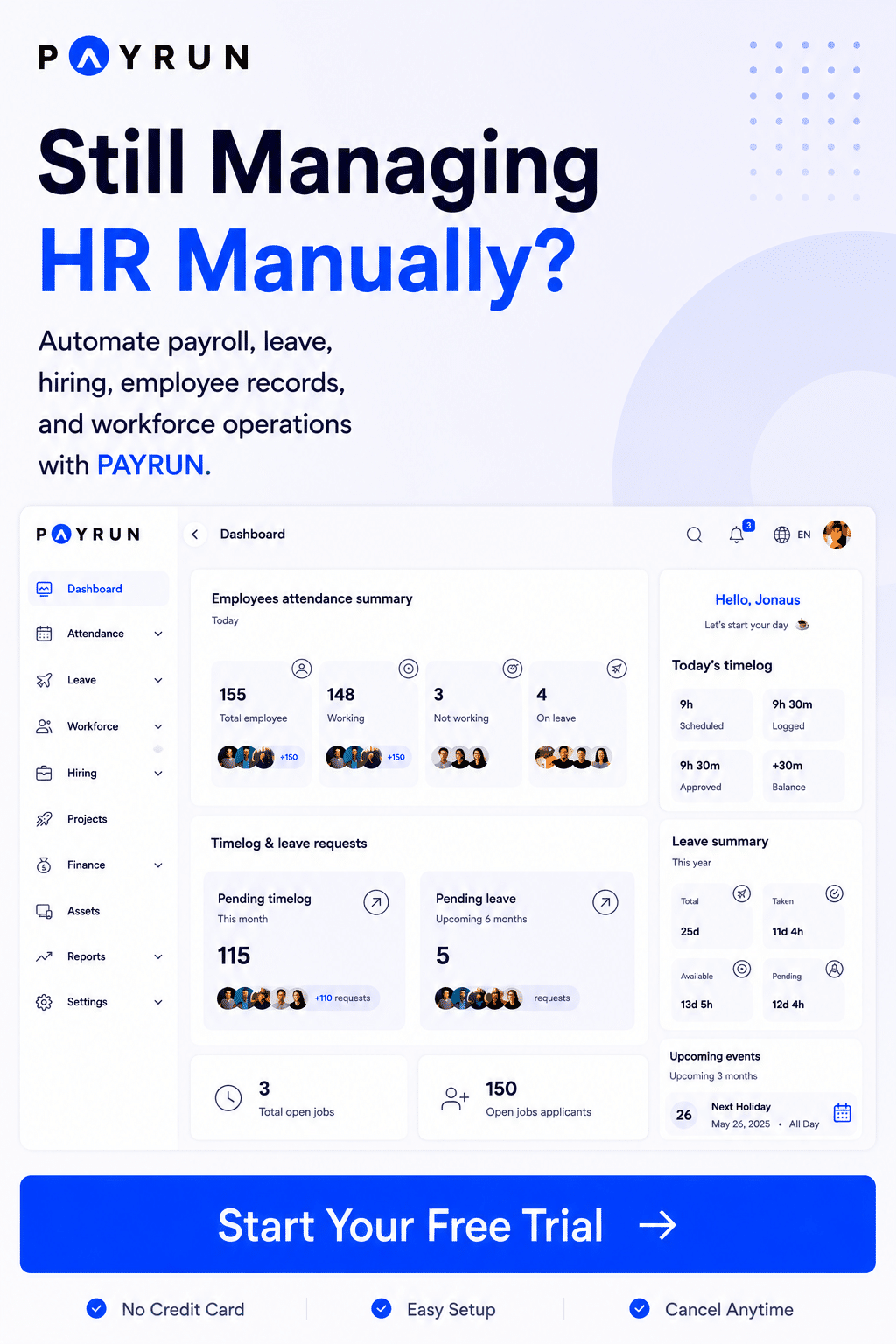
The system uses clean time tracking data to calculate work hours, billable hours, and client billing. It supports reporting features, custom reports, and real-time data for better visibility. Teams can export data, create invoices, and manage team performance with ease. Payrun’s features extend these benefits across payroll, expenses, leave, and hiring. This setup simplifies team management and supports smarter business decisions.
Payrun also fits into your current tech stack and works with project management tools. As a trusted HR management partner, it helps manage unlimited projects and improves project profitability while simplifying leave management for HR teams. For small and growing businesses, Payrun’s HR software and HR and payroll tools for SaaS and software companies ensure accurate time and reliable time logs so payroll stays fast, simple, and error-free.
FAQs
Is Automated Time Tracking Suitable For Remote Teams?
Yes, automated time tracking works well for remote teams. A time tracking app or web app captures time spent across tasks from any location. It provides real-time data and accurate time tracking data for better team management and performance insights.
Can Automated Time Tracking Improve Project Profitability?
Yes, automated time tracking helps improve project profitability. It tracks billable hours, time spent, and tracked time entries with accuracy. Businesses can bill clients correctly and reduce revenue loss from missed hours.
Do Free Time Tracking Tools Offer Enough Features?
Yes, many tools offer a free time tracking app with a free plan and basic features. Some also include unlimited users, reporting features, and project management features. A generous free tier can work well for small teams.
How Does Automated Time Tracking Handle Multiple Tasks?
A time tracking tool tracks time across various tasks and unlimited projects. It records time entries automatically and shows time data in detailed reports. Teams get a complete overview of team’s time and task distribution.
Is Automated Time Tracking Better Than Manual Entry?
Yes, automated time tracking is more accurate than manual entry. Manual time tracking can have up to 80% error rates, while automated systems reduce errors and improve payroll accuracy.