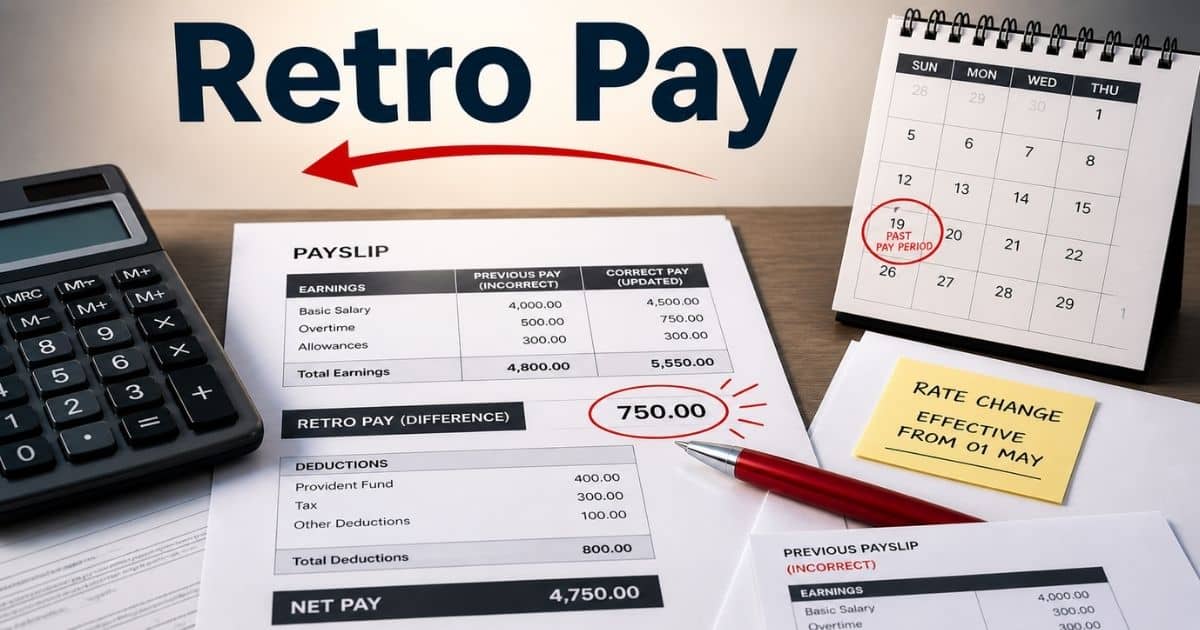
Payroll should be simple. But mistakes happen more often than teams expect. A raise comes late. Overtime gets missed. A system update changes numbers. Employees notice quickly when pay is off. That is where retro pay steps in. It fixes past payroll errors and keeps compensation accurate.
Many businesses struggle to handle retro pay the right way. Confusion around calculation, taxes, and compliance can lead to bigger issues. A small error can turn into employee frustration or even legal risk. Payroll teams need clarity and a reliable process.
This guide breaks everything down in a practical way. You will learn how retro pay works, why it happens, and how to manage it without errors.
What Is Retro Pay
Retro pay, also called retroactive pay, is money added to an employee’s paycheck to fix past payroll errors. It applies when an employee should have received higher wages in a previous pay period but did not. The issue may come from a late pay raise, wrong pay rate, or missed overtime pay. Payroll teams use payroll records and exact dates to calculate retro pay and find the owed amount. The remaining difference is then added to the employee’s next paycheck.
Retroactive payments are not the same as back pay. Back pay covers unpaid wages, while retro pay adjusts the difference in regular wages already paid. Both hourly and salaried employees can receive retro pay owed. It often involves overtime hours, missed bonuses, or compensation changes tied to an employment contract.
A payroll management system helps calculate retroactive pay across a number of pay periods. It ensures compliance with the Fair Labor Standards Act and tax regulations. Accurate pay statements and detailed records help employers maintain compliance and avoid payroll mistakes.
Common Scenarios That Trigger Retro Pay Adjustments
Retro pay does not happen without a reason. Payroll errors, delayed updates, and contract changes often create gaps in wages paid. Each case affects the employee’s paycheck differently. Clear payroll records and exact dates help payroll teams calculate the difference and fix the owed amount on time.
Delayed Pay Raise Updates
A pay raise often comes with an effective date. But payroll systems may apply it late. That creates a gap between the old pay rate and the new rate. The employee should have received higher regular wages in a previous pay period.
Payroll teams must calculate retro pay for the number of pay periods affected. The remaining difference gets added to the next paycheck. Reports show nearly 27% of payroll errors come from delayed updates. Accurate payroll software helps avoid such issues.
Incorrect Overtime Pay Calculation
Overtime pay must follow the Fair Labor Standards Act. Employers must pay 1.5 times the hourly rate for overtime hours. Errors happen when payroll systems miss overtime hours or use the wrong overtime rate.
A small mistake in hours worked can impact gross wages. Payroll teams need to calculate retroactive pay based on missed hours and correct pay rate. The retro pay amount then reflects on the employee’s next paycheck. Overtime violations remain one of the top payroll compliance risks globally.
Missed Bonuses And Incentives
Employees expect bonuses as part of their compensation. Sometimes, missed bonuses or incentives do not reflect in the regular paycheck. This creates a gap in wages owed.
Retroactive payments fix this gap. Payroll teams add retro pay as supplemental wages in the next pay cycle. Studies show over 20% of employees report issues with variable pay. Proper payroll records and approval workflows reduce such payroll mistakes.
Errors In Hourly Or Salary Calculations
Payroll errors can occur in both hourly and salaried employees. A wrong hourly rate or incorrect annual salary setup leads to incorrect wages paid. Even a small hour division error can impact total pay.
Payroll teams must review employee data and calculate retro pay owed across affected pay periods. The corrected amount appears in the employee’s next paycheck. Research shows HR software vs spreadsheets comparisons consistently show manual payroll processes increase error rates by up to 30%, which makes automation critical.
Employment Contract Or Policy Changes
Changes in an employment contract can affect pay. A salary increase, new overtime policy, or updated minimum wage law can create differences in regular wages. Employers must apply changes from the correct effective date.
If the update is delayed, retro pay covers the gap. Payroll teams calculate the difference using detailed records and apply it in the next paycheck. Compliance with federal law and local taxes depends on timely updates. Clear processes help maintain compliance and avoid disputes.
Retro Pay Vs Back Pay - Key Differences
Retro pay and back pay often get mixed up, but they solve different payroll issues. One corrects pay rate differences. The other covers unpaid wages. Clear understanding helps payroll teams calculate the owed amount and maintain compliance with labor laws.
Aspect | Retro Pay | Back Pay |
|---|---|---|
Definition | Adjustment for underpaid wages in a previous pay period | Payment for wages never paid to the employee |
Purpose | Fix payroll errors or delayed pay increase | Recover unpaid wages owed to the employee |
Common Cause | Wrong pay rate, missed overtime pay, late updates | Employer fails to pay minimum wage or agreed wages |
Pay Period Impact | Applies to prior pay period where partial payment was made | Covers one or multiple pay periods with no payment |
Calculation Method | Calculate the difference between old and new pay rate | Calculate full wages owed for missed hours worked |
Employees Affected | Hourly and salaried employees | Mostly hourly employee but can include salaried employee |
Legal Context | Less severe but still requires compliance | Often tied to labor law violations and disputes |
Payroll Processing | Added to employee’s next paycheck as retro payment | Paid separately or added as a lump sum |
Tax Treatment | Treated as supplemental wages under tax regulations | Also taxed but may involve additional reporting |
Example | Late pay raise applied after effective date | Employee not paid for overtime hours or full work period |
Step-by-Step Method To Calculate Retro Pay Accurately
Retro pay calculation needs a clear method. Errors in pay rate, hours worked, or effective date can change the owed amount. Payroll teams must use formulas and real examples to calculate the difference and avoid compliance risks.
Step 1: Identify The Pay Gap
Start with the exact issue in a previous pay period. Check payroll records, pay statements, and the employee’s paycheck. Look for a missed pay raise, wrong hourly rate, or unpaid overtime hours.
Example: An hourly employee worked 80 hours. The correct hourly rate was $20, but the employee received $18. The gap is $2 per hour. That creates a retro pay owed situation. Studies show nearly 30% of payroll errors come from incorrect pay data.
Step 2: Confirm Correct Pay Rate
Use the employment contract or policy update to confirm the right pay rate. This may include a salary increase, overtime rate, or minimum wage update. Both hourly and salaried employees need accurate rate validation.
Formula: Correct Pay Rate − Old Pay Rate = Rate Difference
Example: $20 − $18 = $2 difference per hour.
This step ensures you calculate retroactive pay correctly before moving forward.
Step 3: Calculate The Difference
Now, calculate the difference based on hours worked or salary. Include overtime pay if needed. Use payroll records for exact dates and number of hours.
Formula:
Rate Difference × Hours Worked = Retro Pay Amount
Example: $2 × 80 hours = $160 retro pay amount.
For overtime, use the overtime rate. Errors here can affect tax filing and gross wages.
Step 4: Multiply Across Pay Periods
Check how many pay periods the error affects. Apply the same formula to each prior pay period. Add all results to get the total retro pay owed.
Formula: Retro Pay Per Period × Number Of Pay Periods = Total Retro Pay
Example: $160 × 2 pay periods = $320 owed amount.
Effective payroll audit strategies can reduce such errors by up to 30%, according to recent reports.
Step 5: Add Retro Pay To Payroll
Add retro pay to the employee’s next paycheck. Mark it as supplemental wages in the payroll system. This ensures correct tax treatment under federal law and local taxes.
Example: If regular wages are $1,000, add $320 retro payment. The employee’s next paycheck becomes $1,320 before deductions. Update the pay stub and payroll records to maintain compliance and transparency.
How Retro Pay Works Inside Modern Payroll Systems
Modern payroll systems handle retro pay with structured workflows. They track payroll errors, apply correct pay rates, and calculate retroactive payments across each prior pay period. Payroll automation software helps payroll teams reduce manual work and maintain compliance with tax regulations and labor laws.
Data Sync And Error Detection
A payroll system pulls data from employee records, GPS attendance system tracking, and pay statements. It checks for gaps between wages paid and what the employee should’ve received. Errors often come from wrong pay rate, missed hours, or delayed compensation changes.
Automated checks flag payroll mistakes early. Around 29% of payroll issues come from data mismatch across systems. Accurate employee data helps payroll teams identify retro pay owed faster and reduce delays in the pay cycle.
Retro Pay Calculation Engine
The system uses built-in logic to calculate retro pay. It compares the old pay rate with the updated rate based on the effective date. Then it calculates the difference for each affected pay period.
Payroll software applies formulas across hours worked, overtime hours, and number of pay periods. This ensures correct retro pay amount for both hourly and salaried employees. Automation can improve payroll accuracy by over 25%, according to recent industry reports.
Handling Multiple Pay Periods
Retroactive payments often span more than one previous pay period. The payroll system tracks each pay cycle and applies corrections separately. This avoids errors in gross wages and regular wages.
The system calculates the owed amount for each period and combines them. It ensures the employee received the correct compensation across all periods. Companies that automate payroll processes report up to 30% fewer payroll errors.
Tax And Compliance Adjustments
Retro pay affects tax filing and deductions. Payroll compliance software classifies retro payment as supplemental wages and helps apply federal law, local taxes, and tax regulations automatically.
The system updates pay stub details and ensures compliance with the Fair Labor Standards Act. Incorrect tax handling can lead to penalties. Strong payroll software reduces compliance risks and keeps payroll teams aligned with regulations.
Final Payroll Processing And Reporting
After calculation, the system adds retro pay to the employee’s next paycheck. It updates payroll records, pay statements, and accounting reports. Transparency helps employees understand the retro pay amount clearly.
Payroll teams and accounting teams review final outputs before processing. Reports show automated payroll systems can reduce processing time by up to 40%. Accurate reporting builds trust and supports long-term payroll efficiency.
Tax, Compliance, And Legal Considerations For Retro Pay
Retro pay affects more than just wages. It impacts tax filing, payroll compliance, and legal risk. Payroll teams must apply correct tax rules and maintain detailed records, following guidance similar to a payroll compliance guide for small businesses. Small payroll mistakes can lead to penalties, audits, or employee disputes.
Federal And Local Tax Treatment
Retro pay is treated as supplemental wages under federal law. Employers must apply federal tax regulations and local taxes when they process retroactive payments. The method may differ from regular wages, especially for large retro pay amounts.
Payroll systems often use aggregate or flat rate methods for tax filing. Errors in tax handling can increase compliance risk. Reports show nearly 25% of payroll penalties come from tax miscalculations. Accurate payroll software helps apply correct rates and reduce issues.
Compliance With Labor Laws
The Fair Labor Standards Act sets rules for wages, overtime pay, and minimum wage, and payroll regulations are evolving for growing companies in ways that increase scrutiny. Retro pay must reflect correct overtime rate and hours worked. Any gap in wages owed can lead to overtime violations.
Employers must ensure the employee received correct compensation based on the employment contract. Delays in retro payment can create legal risk. Labor audits often focus on payroll records and pay statements to check compliance.
Accurate Payroll Records And Documentation
Detailed records are critical for retro pay. Payroll teams must track previous pay period data, exact dates, and compensation changes. This includes pay rate updates, missed hours, and overtime hours.
Strong documentation supports tax filing and protects against disputes. Studies show companies with proper employee payroll records reduce audit risks by up to 30%. Clear pay stub entries also help employees understand the retro pay amount.
Reporting Retro Pay On Pay Statements
Retro pay must appear clearly on the employee’s paycheck and pay statements. Digital payslip software makes it easy to list it as a separate retro payment or supplemental wages. This improves transparency and avoids confusion.
Employees expect clarity in their regular paycheck. Missing details can lead to trust issues or disputes. Payroll teams must ensure the employee’s next paycheck reflects accurate gross wages, deductions, and owed amount.
Legal Risks And Penalties
Incorrect retro pay can lead to serious consequences. Employer fails to pay correct wages may face fines, lawsuits, or back pay claims. Tax errors can also trigger penalties from authorities.
Recent reports show payroll non-compliance can cost businesses up to 5% of total payroll annually. Payroll teams and accounting teams must review each retro pay case carefully. Strong processes help maintain compliance and protect the business.
Best Practices To Manage Retro Pay Without Payroll Errors
Retro pay can create risk if handled poorly. Payroll mistakes businesses must avoid often involve mismanaged adjustments that affect wages owed, tax filing, and employee trust. Payroll teams need clear systems and checks. Strong processes help calculate retro pay accurately and avoid repeated errors.
Set Clear Payroll Processes
Every payroll team needs a defined process for retro pay. Set rules for handling payroll errors, compensation changes, and missed overtime pay. Use clear steps to calculate retro pay and verify the owed amount.
Document each step with payroll records and exact dates. This reduces confusion across pay periods. Studies show companies with structured payroll workflows reduce errors by up to 32%. Consistency improves accuracy and keeps payroll operations smooth.
Use Reliable Payroll Software
Manual work increases payroll mistakes. A modern payroll software platform helps calculate retroactive pay across multiple pay periods. It tracks pay rate changes, hours worked, and employee data in one place.
Automation reduces human error and improves speed. Reports suggest automated payroll software can cut processing errors by over 25%. It also ensures correct tax regulations and local taxes are applied to retroactive payments.
Maintain Accurate Employee Data
Accurate employee data is critical. Wrong hourly rate, incorrect annual salary, or missing overtime hours can create retro pay owed. Payroll teams must update employee records after every pay raise or contract change.
Regular audits of payroll records using structured payroll audit strategies help catch issues early. Around 30% of payroll errors come from outdated or incorrect data. Clean data ensures correct gross wages, regular wages, and retro pay amount.
Review Payroll Before Final Processing
A final review step helps prevent costly mistakes. Payroll teams and accounting teams should check pay statements, pay stub details, and retro pay calculations before release.
Focus on number of hours, pay rate, and number of pay periods affected as part of a consistent payroll processing workflow. This step ensures the employee received correct compensation. Businesses that run payroll reviews report up to 30% fewer compliance issues.
Train Payroll Teams Regularly
Payroll rules change often. Teams must stay updated on federal law, minimum wage, and tax regulations. Training helps staff understand how to calculate retroactive pay and handle payroll errors.
Skilled payroll teams can manage retro pay faster and more accurately. Avoiding common HR software mistakes also reduces system-related errors. Reports show trained payroll staff reduce compliance risks by nearly 20%. Continuous learning supports better payroll accuracy and employee satisfaction.
Real World Examples Of Retro Pay In Different Pay Structures
Retro pay looks different across roles and pay types. Each case depends on pay rate, hours worked, and the effective date of changes. Robust payroll processing software supports these variations. Clear examples help payroll teams calculate the difference and avoid payroll errors.
Hourly Employee With Pay Rate Change
An hourly employee received a pay raise from $15 to $18. The change applied from a previous pay period, but payroll used the old rate. The employee worked 80 hours during that pay cycle.
Retro pay owed = ($18 − $15) × 80 hours = $240.
Payroll teams add this retro payment to the next paycheck. Hourly employees often face such issues due to delayed updates. Reports show hourly payroll errors account for nearly 35% of total payroll mistakes, especially when businesses still rely on spreadsheets instead of moving payroll from Excel to software.
Salaried Employee With Salary Increase
A salaried employee had an annual salary increase from $48,000 to $54,000. The update came late in the payroll system. The employee received lower regular wages for one pay period.
Retro pay amount = Salary difference ÷ number of pay periods. If paid monthly: ($6,000 ÷ 12) = $500 owed amount. Payroll software calculates retroactive pay and adds it to the employee’s next paycheck. Salary updates often create retroactive payments in large organizations.
Missed Overtime Pay Case
An employee worked 10 overtime hours in a prior pay period. The payroll system missed those hours. The hourly rate was $20, so the overtime rate should be $30 under the Fair Labor Standards Act.
Retro pay owed = 10 × $30 = $300. Payroll teams must include overtime hours and correct overtime rate. Overtime violations remain a top compliance risk. Studies show over 20% of wage disputes involve overtime pay errors.
Missed Bonus Or Incentive Payment
An employee earned a performance bonus of $1,000, but it did not reflect in the pay cycle. This creates a gap in wages paid and total compensation.
Retroactive payments add the missed bonus as supplemental wages. The payroll system includes it in the next paycheck with proper tax regulations. Variable pay issues affect around 1 in 5 employees, according to recent compensation reports.
Minimum Wage Adjustment Case
A new minimum wage law increased the hourly rate from $10 to $12. The employer failed to update payroll on time. The employee worked 100 hours at the lower rate.
Retro pay owed = ($12 − $10) × 100 = $200. Payroll teams must adjust wages owed and maintain compliance with federal law and local taxes. Minimum wage errors can lead to penalties. Accurate payroll records help avoid legal risks as regulations evolve for growing companies and minimum wage rules become more complex, similar to the trends outlined in payroll regulations for 2026.
Final Thoughts
Retro pay plays a key role in accurate payroll and fair compensation. It helps fix payroll errors, apply correct pay rates, and ensure employees receive what they should’ve received. Clear processes, accurate payroll records, and reliable payroll software make a big difference.
Payroll teams must stay alert to changes in pay rate, overtime hours, and employment contracts. Small mistakes can lead to bigger compliance risks and employee trust issues. A structured approach helps calculate retro pay correctly and avoid repeated errors.
Strong payroll practices protect both the business and employees. For startups and small firms, using payroll software for growing teams or simple payroll software for small businesses can make it easier to manage retro pay. When done right, retro pay supports transparency, compliance, and smooth payroll operations.
FAQs
Can Retro Pay Affect Tax Filing?
Yes, retro pay affects tax filing. It is treated as supplemental wages and subject to federal law, Social Security, and local taxes. Payroll systems apply tax regulations when adding retro payment to the employee’s paycheck or pay stub.
Do Employees Receive Retro Pay In The Next Paycheck?
Yes, most employers add retro pay to the employee’s next paycheck. Payroll teams include the retro pay amount in the next pay cycle with updated pay statements and payroll records for transparency.
Can Retro Pay Apply To Multiple Pay Periods?
Yes, retro pay can cover more than one prior pay period. If payroll errors or a pay increase spans several periods, payroll teams calculate retroactive pay across the number of pay periods to find the total owed amount.
What Data Do Payroll Teams Need To Calculate Retro Pay?
Payroll teams need employee data like pay rate, hours worked, overtime hours, and exact dates. They also use payroll records, pay statements, and employment contract details to calculate the difference and determine the retro pay owed.
Does Retro Pay Apply To Both Hourly And Salaried Employees?
Yes, retro pay applies to both hourly and salaried employees. It covers missed overtime pay, salary increase gaps, or payroll mistakes. The calculation method may vary based on hourly rate or annual salary.